The 3-Step Simplicity of Web Studio
Create & Customize Roblox UGC in 15 Seconds or Less
Oi-RAC Studio completely removes the barrier of traditional 3D software. Creators go from a 2D sketch directly to a fully conformed, rigged, and marketplace-ready Roblox Layered Clothing asset in three frictionless steps:
1Upload 2D Picture
Drop any flat 2D shirt, hoodie, pants, skirt, or dress concept image.
23D Avatar Fitting
Instant continuous watertight 3D fit with real-time tailoring steppers.
3Upload to Market
1-Click publish to Roblox Open Cloud or download game-ready .ZIP.
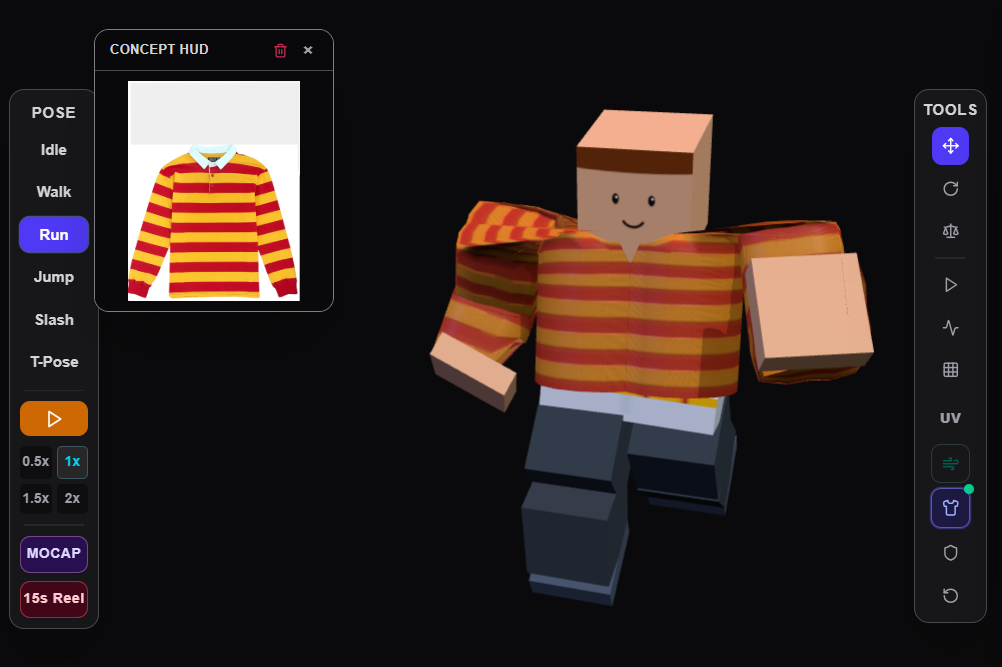
2D Concept HUD • 3D Avatar15s Pipeline
Showing 31 featuresLaunch Studio
What you do:
Click and drag using your mouse, trackpad, or touch controls.
What it does for you:
Lets you inspect your avatar from any angle (360° horizontal and vertical) with smooth camera damping.
How to do it (using the website):
Left-click and drag to orbit around the avatar. Right-click and drag to pan across the workspace. Scroll your mouse wheel to zoom in and out.